Paper becomes a document
Staff may still need to open the document and manually enter important values elsewhere.
PatientLink® Scan
Give patients the ease of paper without giving staff the burden of manual data entry. PatientLink Scan captures completed patient forms, applies your configured workflow, and sends structured information to the appropriate fields in your EHR.

More Than Document Scanning
Traditional document scanning can leave clinical information trapped inside an image. PatientLink Scan is designed to turn completed paper forms into usable data that can be validated, scored when applicable, mapped, and routed to the systems your workflow requires.
Staff may still need to open the document and manually enter important values elsewhere.
Responses can flow to discrete EHR fields and, when configured, to documents, research databases, registries, HIEs, reporting systems, or multiple destinations.
Simple for Staff and Patients
Patients use familiar paper. Staff select the patient and scan. PatientLink handles the data workflow.
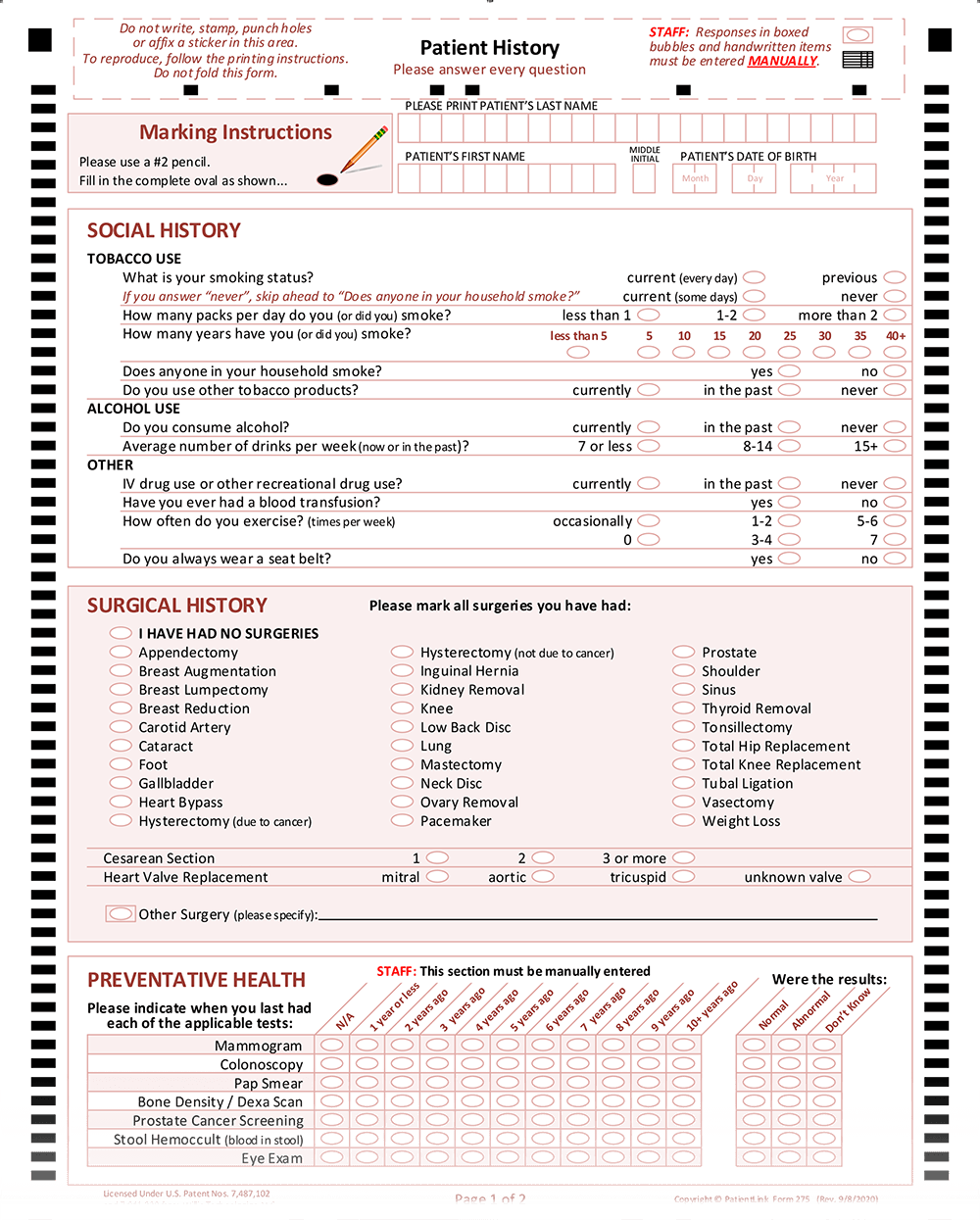
Easy-to-use paper forms require no portal, app, login, tablet, or waiting-room device.
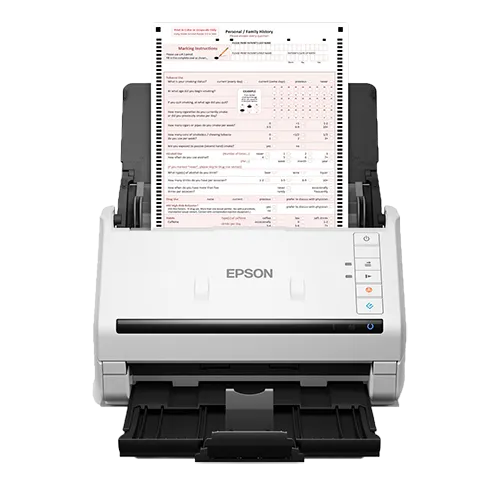
Choose the patient from a simple EHR-connected search, place the form in the scanner, and scan.
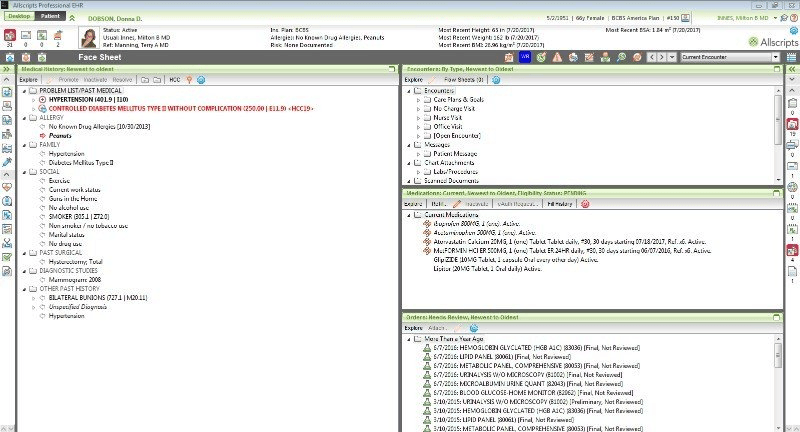
Configured form-processing technology captures responses, calculates supported scores, and routes data to the appropriate destination.
Fast Enough for the Front Desk
A patient completes a health form with pencil and paper, and the structured information is available in the EHR before the patient reaches the exam room.
Processing time varies by EHR, network, form complexity, and configuration.
Why Practices Choose Scan
Let patients provide information once, then route supported values into the clinical workflow without staff retyping every response.
Put important patient-reported information into usable EHR fields instead of leaving it trapped in a scanned image.
Apply configured logic for incomplete or conflicting responses and handle them according to the clinic's workflow and clinical guidelines.
Calculate supported assessment scores and route individual responses, totals, alerts, or thresholds as configured.
Offer an intuitive paper option for older adults, patients who prefer paper, and anyone who does not want another digital experience.
Use most standard document scanners and ordinary paper without adding a fleet of patient-facing devices to maintain.

Meet Patients Where They Are
Digital intake does not have to mean digital-only intake. Use PatientLink Online or PatientLink 360 for patients who prefer to complete forms electronically, while PatientLink Scan gives other patients a familiar paper option.
Both paths can support the same goal: usable patient information without sending staff back to manual entry.
Designed Around Real Clinical Work
Start with an existing PatientLink form or send us your current paper packet. PatientLink can recreate and configure forms around your questions, branding, clinical requirements, scoring, and destination mapping.
Evidence and Experience
PatientLink Scan has supported clinical data collection for organizations large and small, including complex quality and assessment workflows.
A large Oklahoma ambulatory organization reported that completed forms could be scanned in seconds, while eliminating approximately 10-15 minutes of manual data entry per patient and standardizing intake across clinics.
Read the INTEGRIS case studyA 2017 Catholic Health Initiatives workflow used a PatientLink form with 70 discrete data elements and 24 unique orders tied to MSSP quality measures.
Historical workflow evaluation presented at Allscripts Health Experience, 2017.A published depression-screening feasibility study reported successful processing of 89.4% of patient assessments, with no failures attributed to the scanning system itself.
Read the published studyBuilt to Connect
PatientLink has supported Scan integrations across a range of ambulatory EHR environments and can work with your team to determine the right form, field mapping, and data-routing approach for your organization.
Integration availability and capabilities vary by EHR, version, interface, and customer configuration.

Flexible Beyond Routine Intake
Continue collecting patient information on paper during an EHR outage. When the EHR is available again, staff can select the patient and scan the completed forms rather than manually re-entering the captured information.
PatientLink has also been used to move information from paper records into structured electronic data. In one historical 2,200-record pilot, abstraction time dropped from 20 minutes to 7 minutes for every five patients.
What Customers Say
“This is a life changing technology...my staff thinks that scanner is a miracle.”
“The forms are easily filled out by our patients and then scanned into our EMR...A huge timesaver for our staff.”
“Patient information flowing directly into the chart has helped tremendously in reducing staff time.”
Configured Around Your Practice
Bring us your current forms and workflow. PatientLink can recreate your paper intake packet, apply your branding and questions, configure scoring and routing, map EHR destinations, provide the Scan software, and train your team.
Talk Through Your Scan WorkflowTypical implementation is approximately 4-6 weeks depending on form and integration complexity.
Frequently Asked Questions
No. PatientLink Scan converts responses into structured data and routes values to mapped EHR fields. When configured, the completed PDF document can also be stored in the patient’s chart.
PatientLink Scan works with most standard document scanners. Epson and Fujitsu models are commonly preferred, but specialized proprietary scanning hardware is not required.
No. Practices can print PatientLink Scan forms on standard paper. Forms can be printed single-sided or duplex depending on the workflow.
Yes. PatientLink can work from your current intake packet and configure forms with your branding, questions, scoring, clinical logic, and supported data destinations.
Yes. Supported scored assessments can calculate totals automatically, and configured workflows can route individual responses, scores, alerts, or thresholds to the appropriate destination.
Yes. Many organizations offer digital PatientLink workflows to patients who prefer them while keeping PatientLink Scan available for patients who prefer paper. This helps expand patient choice without bringing manual data entry back into the workflow.
PatientLink Scan cannot search the EHR or send data to an unavailable EHR. However, patients can continue completing paper forms during the outage. When the EHR is restored, staff can select the patients and scan the saved forms rather than re-entering the information manually.
A typical implementation is approximately 4-6 weeks, depending on the complexity of the forms, EHR mapping, and integration. PatientLink builds the forms and mapping, provides the software, and can train your team.
See PatientLink Scan in Action
Show us your current paper forms and EHR workflow. We will show you how PatientLink Scan can help turn patient responses into structured, usable data.